Life
A private, local-first dashboard for money, goals and habits that runs in the terminal. Built with Go, Bubble Tea and SQLite.
Life is a keyboard-driven dashboard for the questions I kept answering with spreadsheets: Where did this month’s paycheck go? How much equity vested this year? Am I on track for the things I’m saving for? What does all this add up to in twenty years?
It runs in the terminal, opens instantly, and keeps everything in one local SQLite database on your own machine. There’s no account, no server and no sync. Pay statements and card exports are parsed locally, and only the numbers you approve are saved.
All screenshots use made-up sample data.
The dashboard
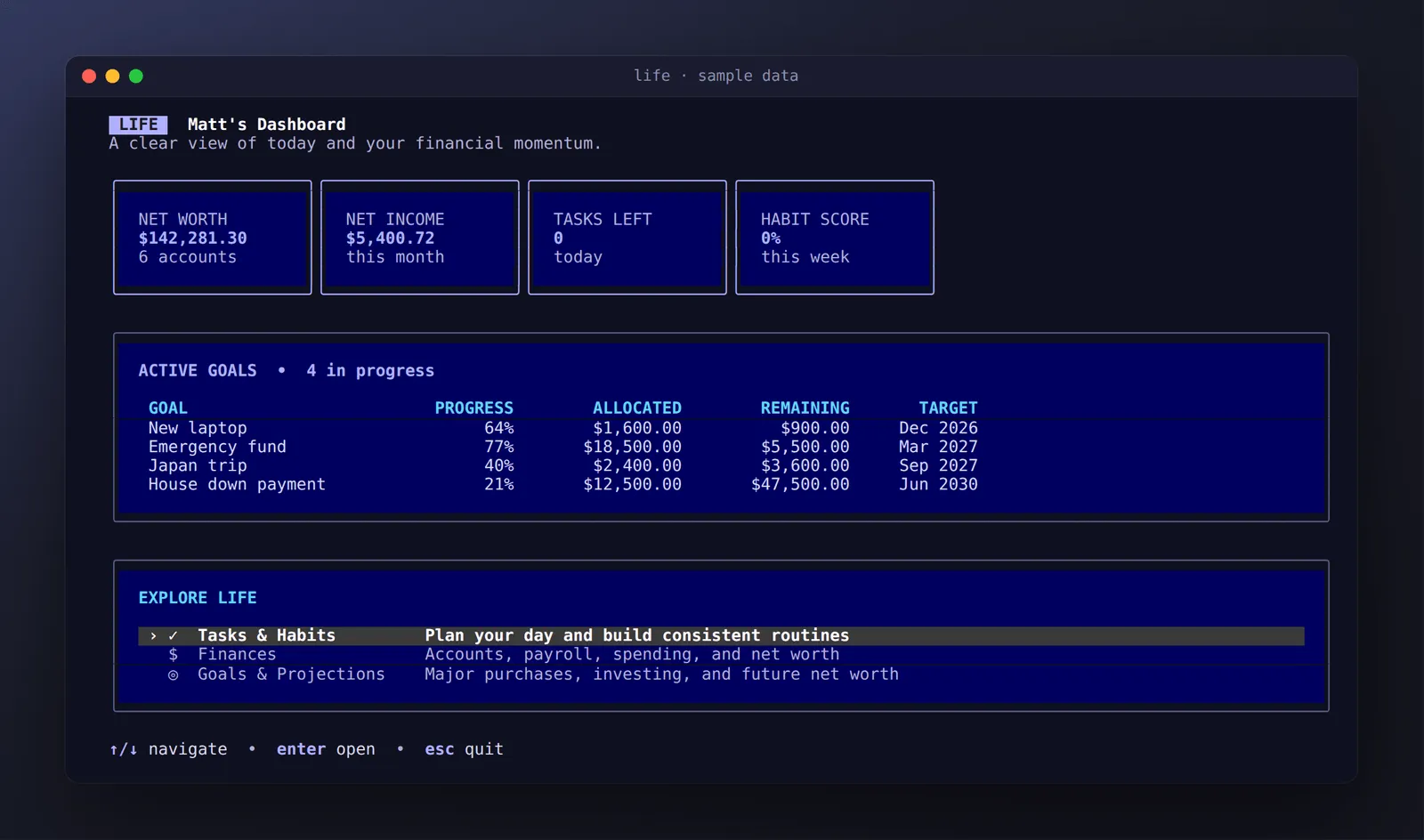
The home screen answers “how am I doing?” at a glance: net worth across every account, net income so far this month, today’s tasks, and progress on each savings goal. Everything else is one keypress away.
Finances
The Finances section has three tabs (Accounts, Payroll and
Spending) and you move between them with tab.
Accounts
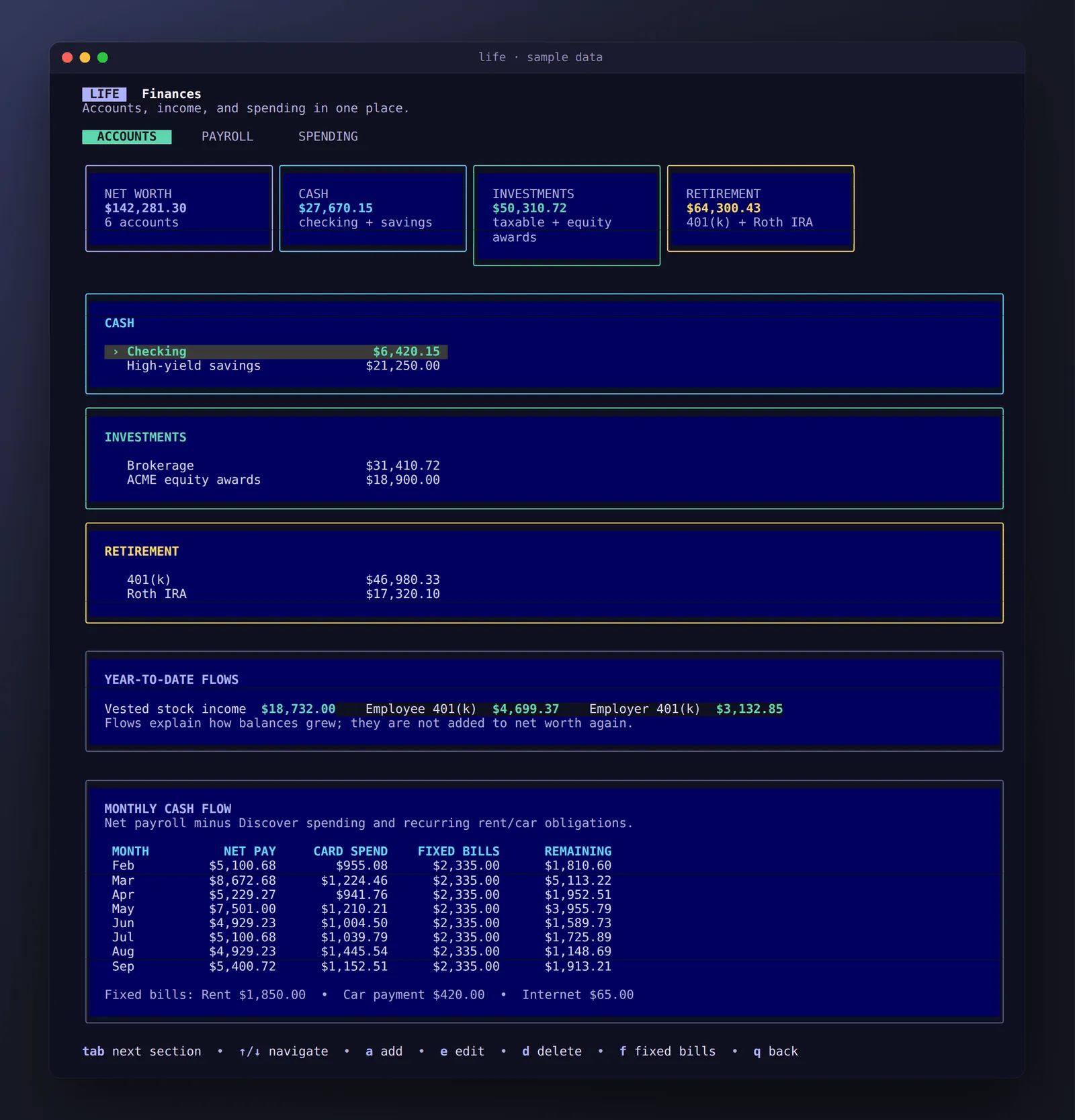
Accounts are grouped into cash, investments and retirement, with a total for each. Balances can be added and edited from the keyboard. Two panels explain why the numbers moved:
- Year-to-date flows show vested stock, your 401(k) contributions and the employer match. They explain growth without being double-counted in net worth.
- Monthly cash flow takes net pay, subtracts card spending and fixed bills (rent, car, internet), and shows what’s actually left each month.
Payroll
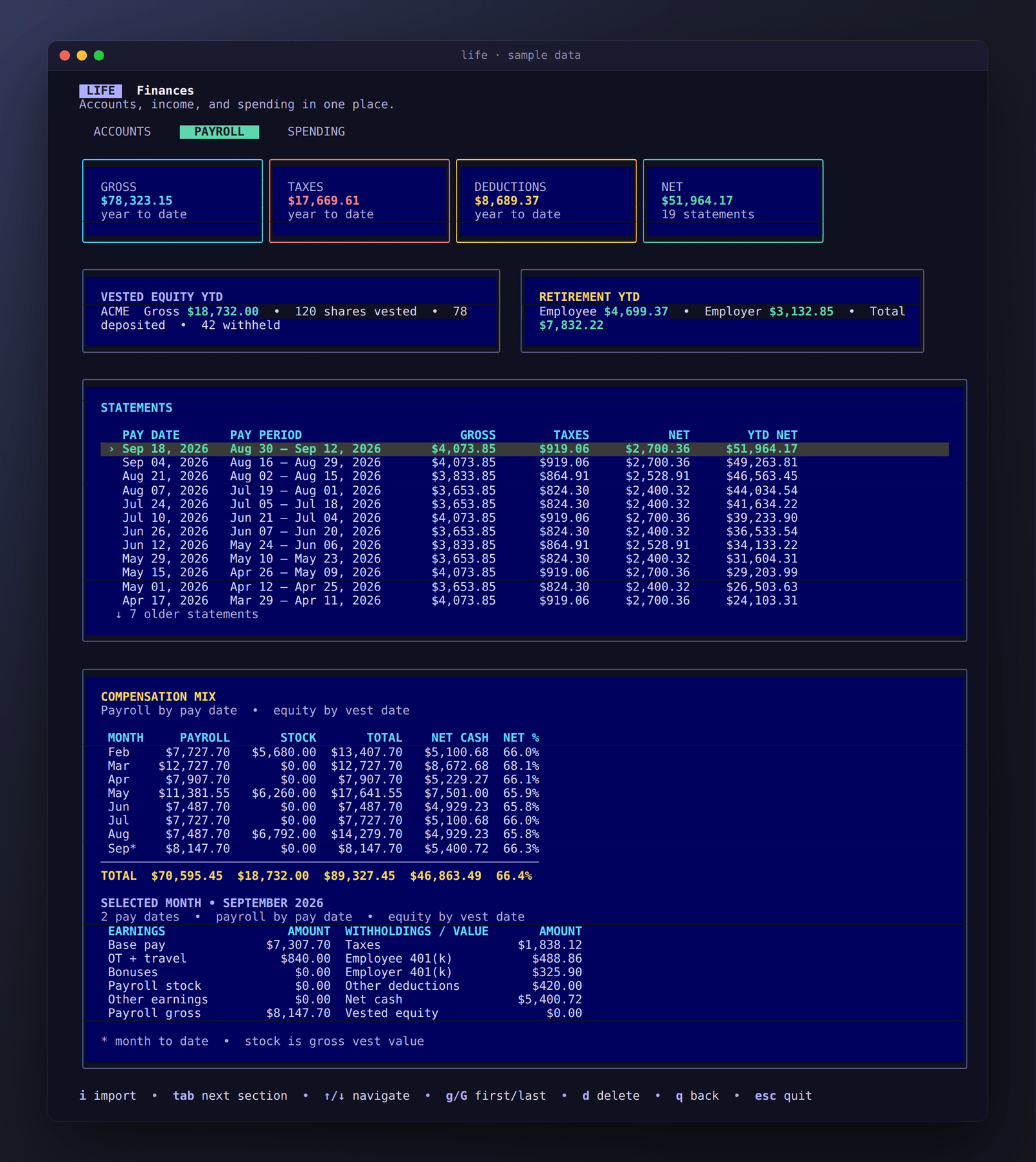
The Payroll tab (shown at the top of this page) is built from imported pay statements. It shows year-to-date gross, taxes, deductions and net pay; vested equity and retirement contributions; and a scrollable list of every statement.
The compensation mix table lines up payroll by pay date with equity by vest date, so months with a vest or a bonus stand out, and shows your take-home percentage. Select any statement to break its month down into base pay, overtime, bonuses, taxes, 401(k) and net cash.
Spending
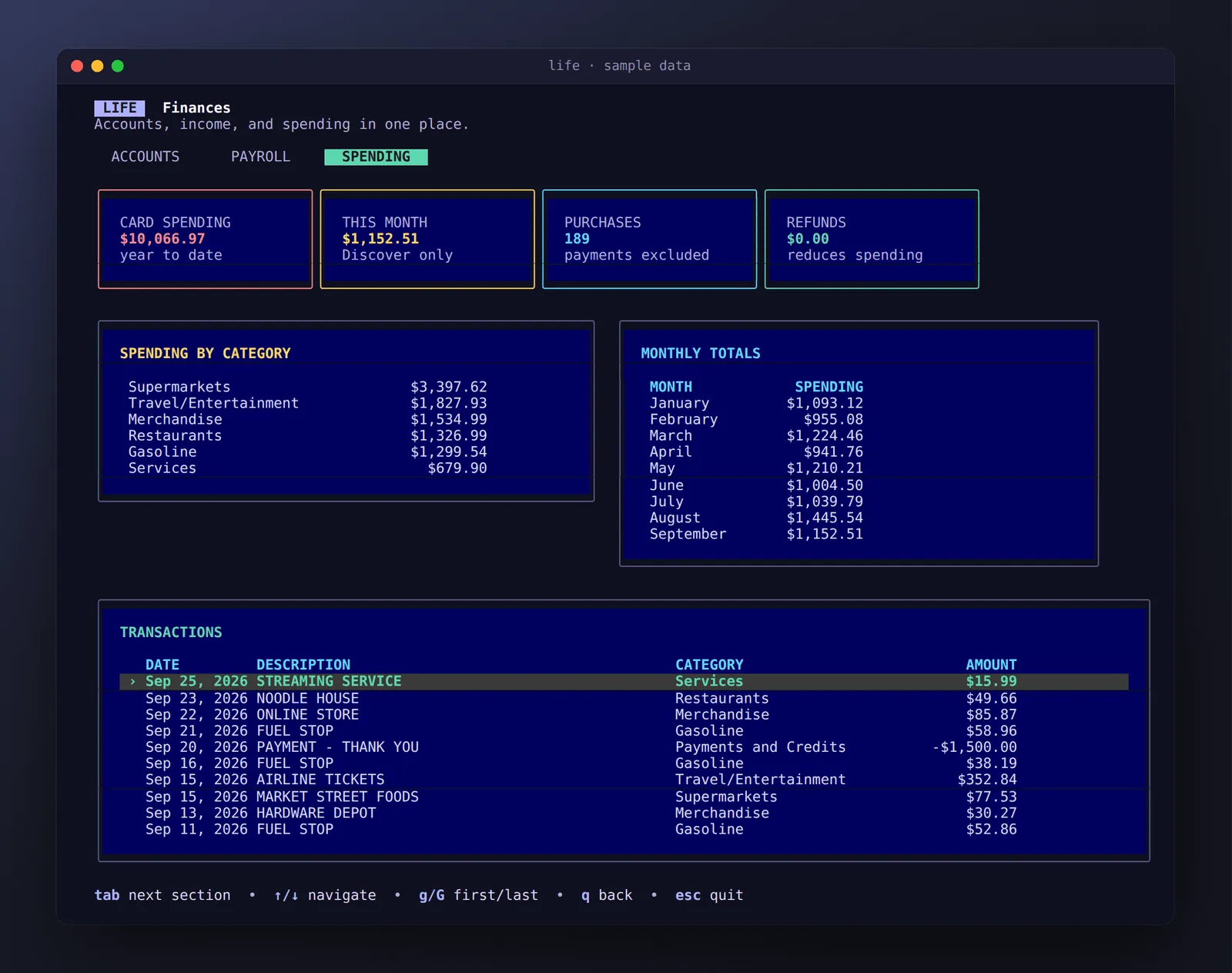
Card transactions come from a statement export and are grouped by category and by month. Payments and credits are recognised and left out of spending totals, and every transaction is listed underneath.
Goals & projections
Net worth projection
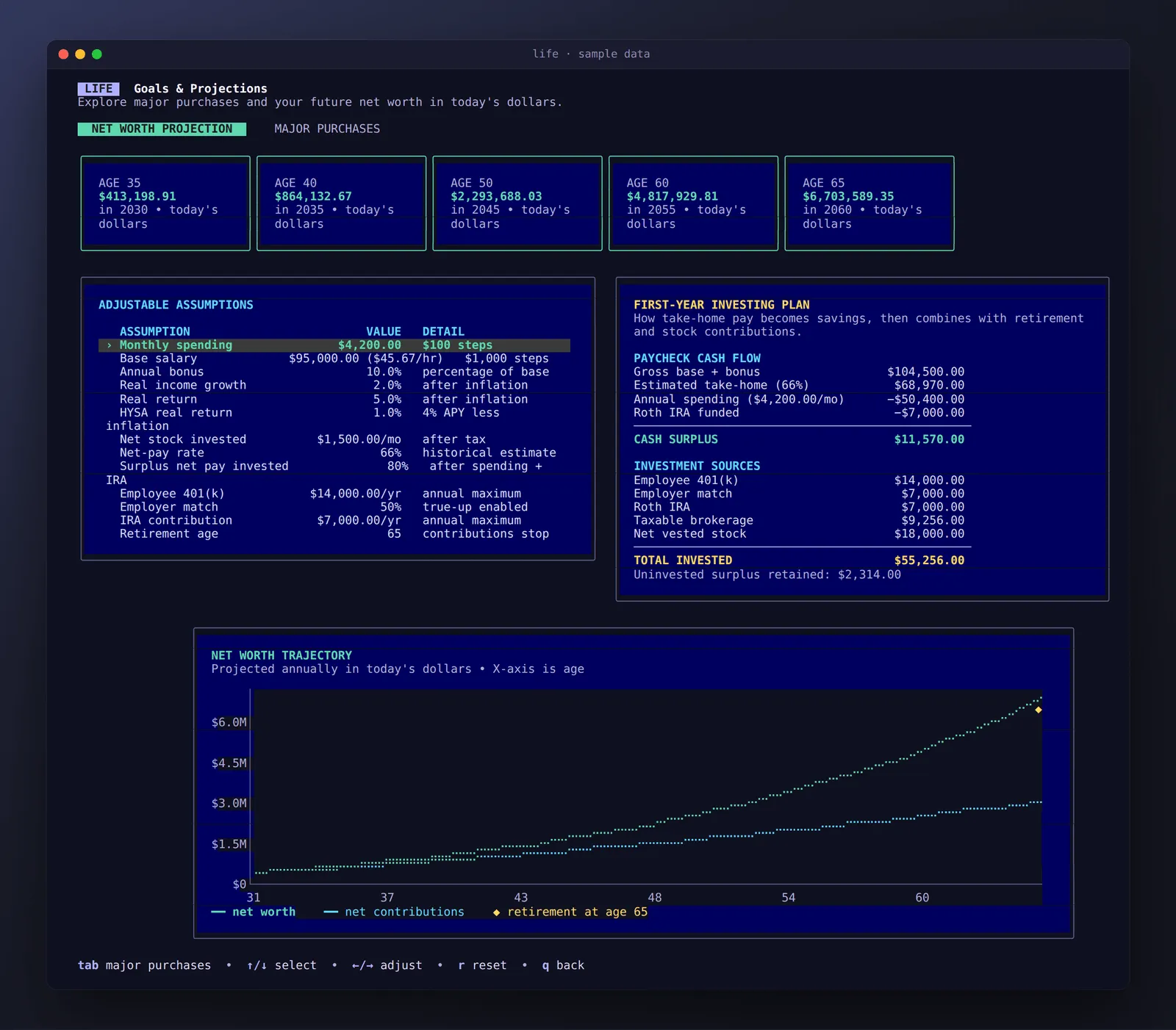
This is the part I use most. It projects net worth year by year, in today’s dollars, from assumptions you can change live with the arrow keys:
- salary and bonus, and real income growth,
- spending, and real returns on investments and on savings,
- how much of your net pay and vested stock gets invested,
- 401(k), employer match and IRA contributions, and your retirement age.
The first-year investing plan traces how take-home pay turns into savings: what’s left after spending and the IRA, and where each dollar gets invested. The chart shows net worth against what you actually contributed, so you can see how much of the growth comes from compounding. It’s drawn with braille characters, which gives it much finer resolution than ordinary text.
Major purchases
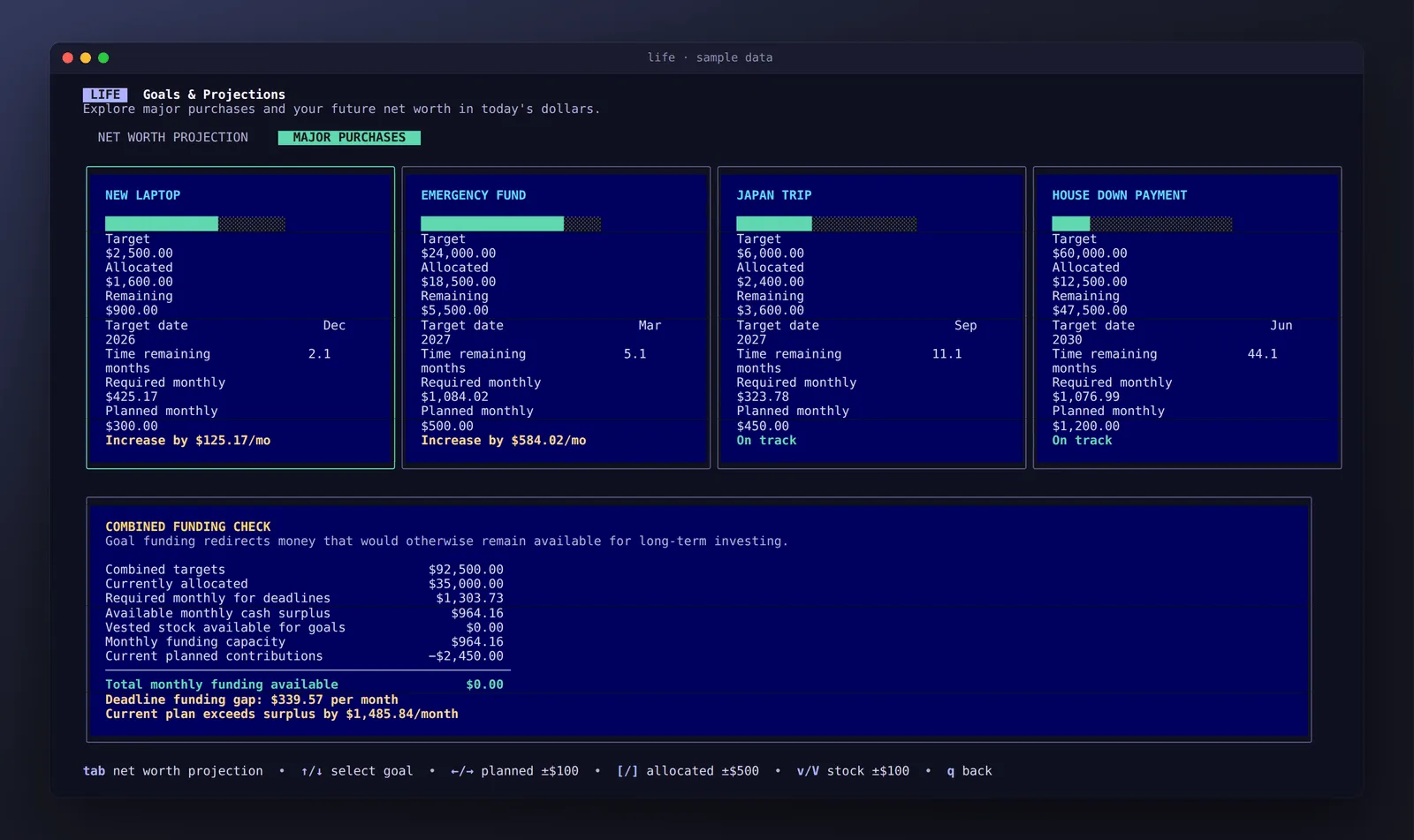
Each savings goal has a target, a deadline, what’s already set aside and a monthly plan. Life works out the monthly amount each goal needs to hit its date and flags the ones that are behind (“Increase by $125/mo”).
The combined funding check then asks the harder question: can your monthly surplus actually cover all of these goals at once, and how much long-term investing does funding them give up?
Tasks & habits
A simple daily task list and a weekly habit score, both reachable from the dashboard. This part is still early; more detailed habit tracking is next.
Importers, built to forget
- Pay statements (PDF): press
ion the Payroll tab and paste the file path. Life parses the PDF locally, shows a preview and saves only what you confirm. It keeps the document number, dates and summary amounts, and discards names, addresses, employee IDs and bank details in memory. Re-importing a statement updates it instead of creating a duplicate. - Stock vesting history: grants that vest on the same date are combined into one event, dividend reinvestments are skipped, and duplicates are ignored.
- Card statements: a small script imports a year-to-date statement into the Spending tab.
Your database, PDFs and exports are all excluded from Git, and a fresh install starts empty with a short profile setup.
How it’s built
- Go, with Bubble Tea for the app loop and Lip Gloss for layout and colour. Every screen is plain text arranged into panels, cards and tables.
- ntcharts for the braille line charts.
- SQLite via a pure-Go driver, so there’s no C toolchain and cross-compiling just works. The schema migrates itself as new columns are added.
- Releases: pushing a version tag runs the test suite on GitHub Actions and publishes Windows, macOS (Intel and Apple silicon) and Linux binaries, so trying it is a single download.